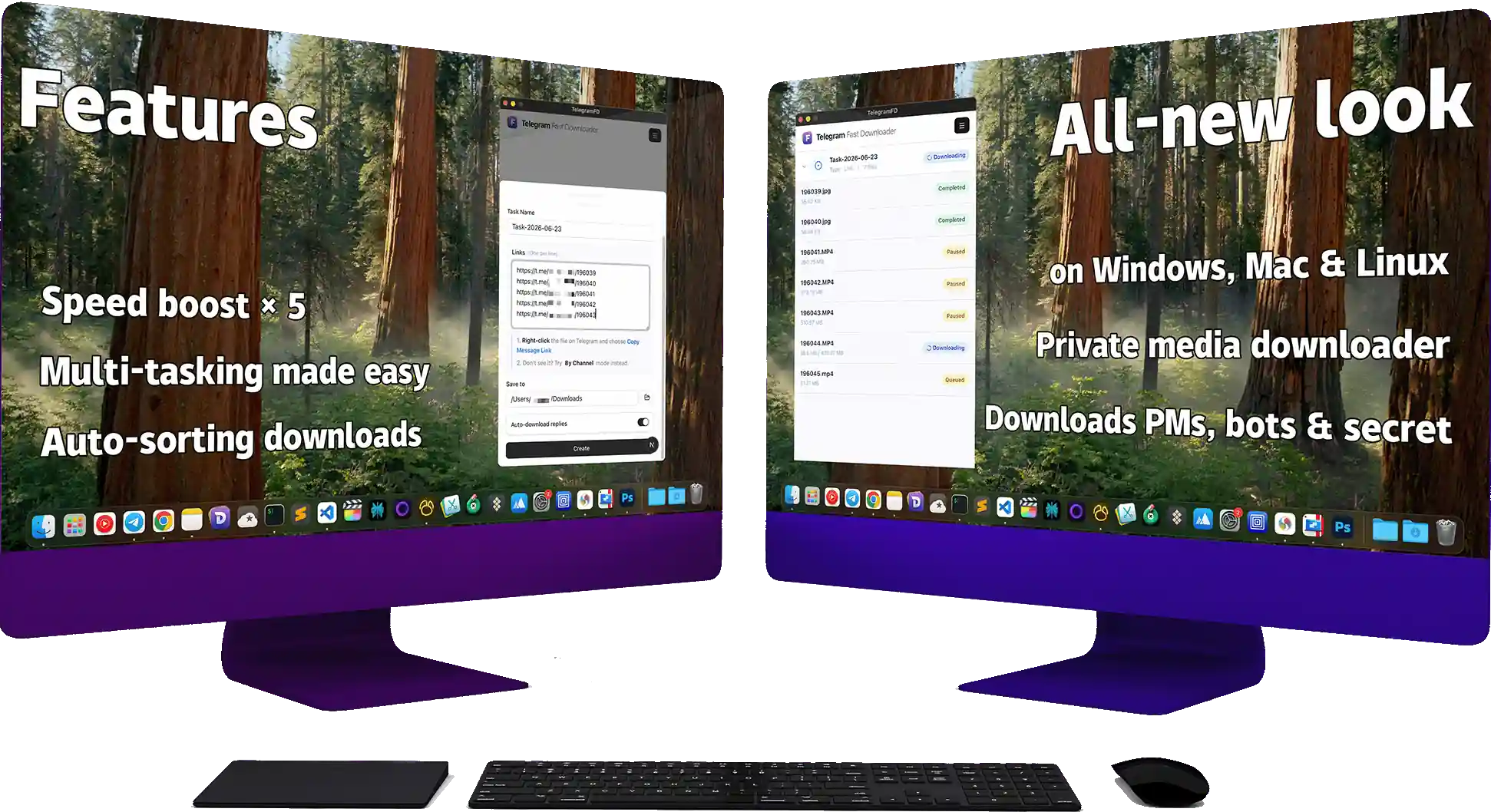

Our Features
What can we do ???
Restricted Media Downloader
Save disabled? No worries, you can still download it easily!
Private Content Downloader
Get files from private channels and groups in just one tap.
Secret Chat Downloader
Save secret chats and self-destructing photos before they’re gone!
All-Format Support
Videos, pics, music, or docs—if it’s a file, you can download it.
Multi-Thread Speed
Download tons of files at once. Crazy fast, zero waiting.
Smart Auto-Sort
Auto-sorts files into neat folders by chat. Say goodbye to messy desktops!

Overview
Our design philosophy: making Telegram file downloads simple and efficient.
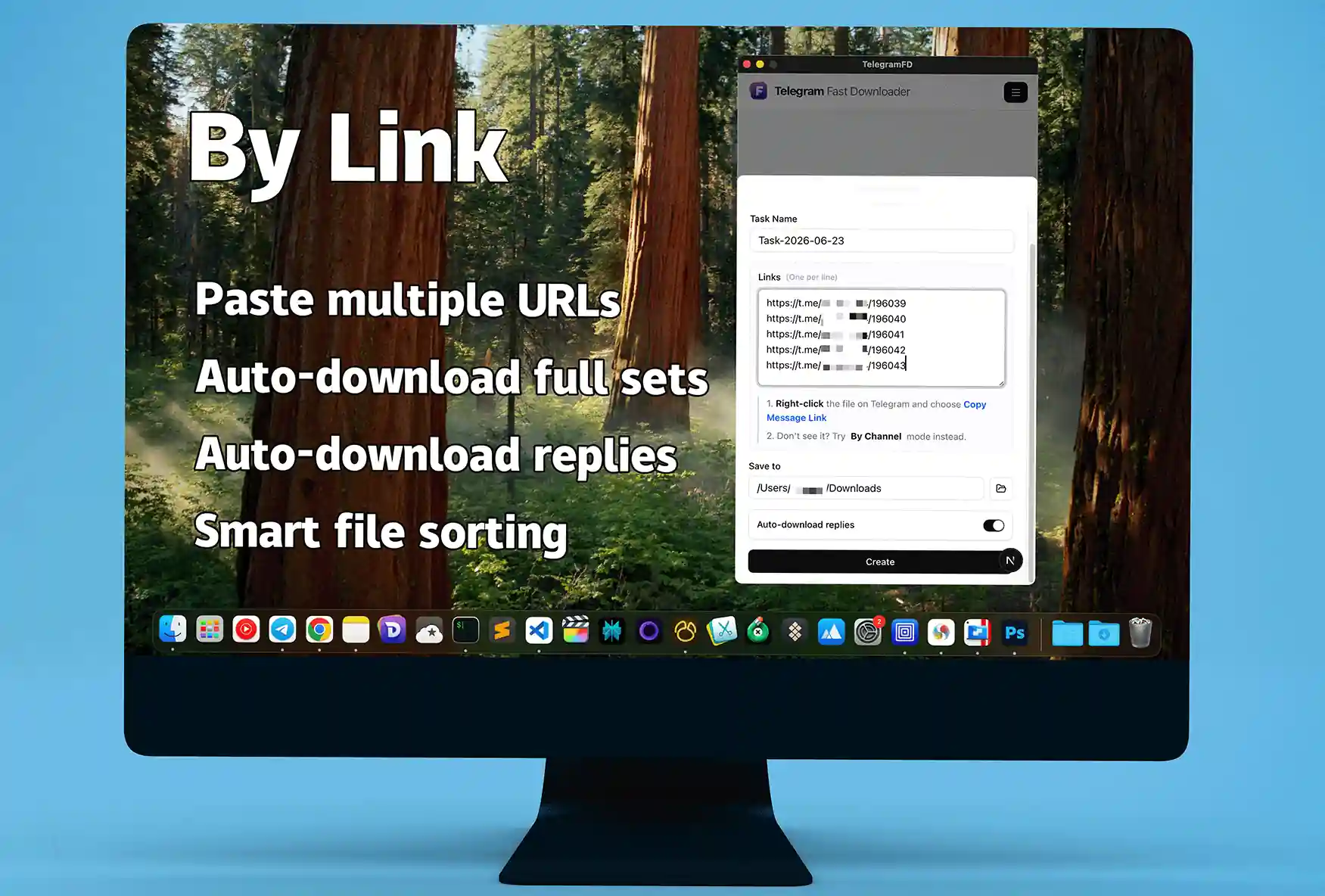
Download Specific Messages
01Click [Specific Link] in the top-right menu and paste the message link into the input box.
The program doesn't just download the file from your selected message; it automatically gathers all attachments from the replies. It acts as an intelligent packager, creating a complete backup of scattered files and making data organization easier than ever.
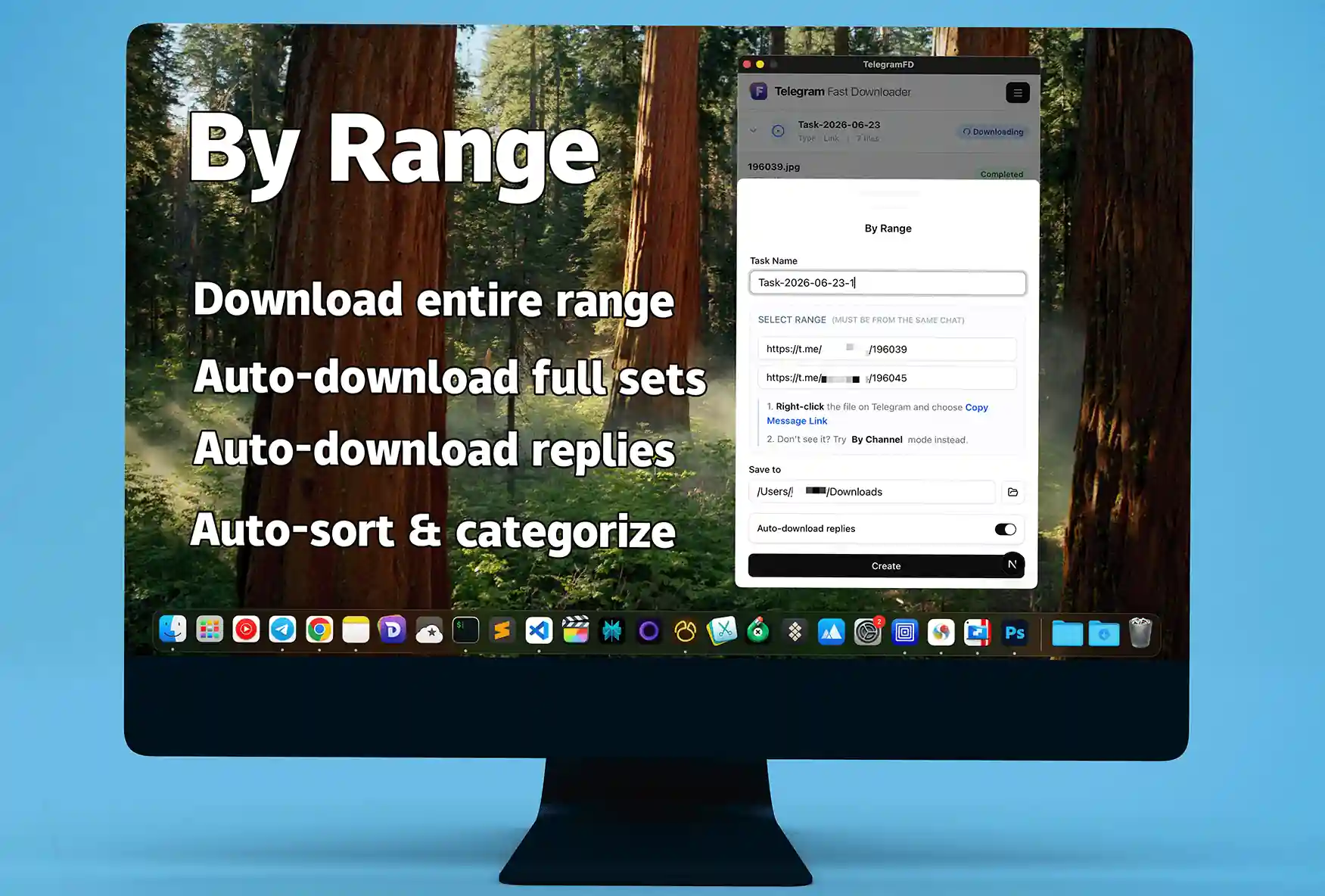
Download Message Range
02Click [Specific Range] in the top-right menu.
Simply provide a [Start Link] and an [End Link], and TelegramFD will immediately begin archiving all files (including replies) within that interval. It automatically verifies link compatibility and ensures everything stays within the correct chat—working like a true, worry-free assistant.
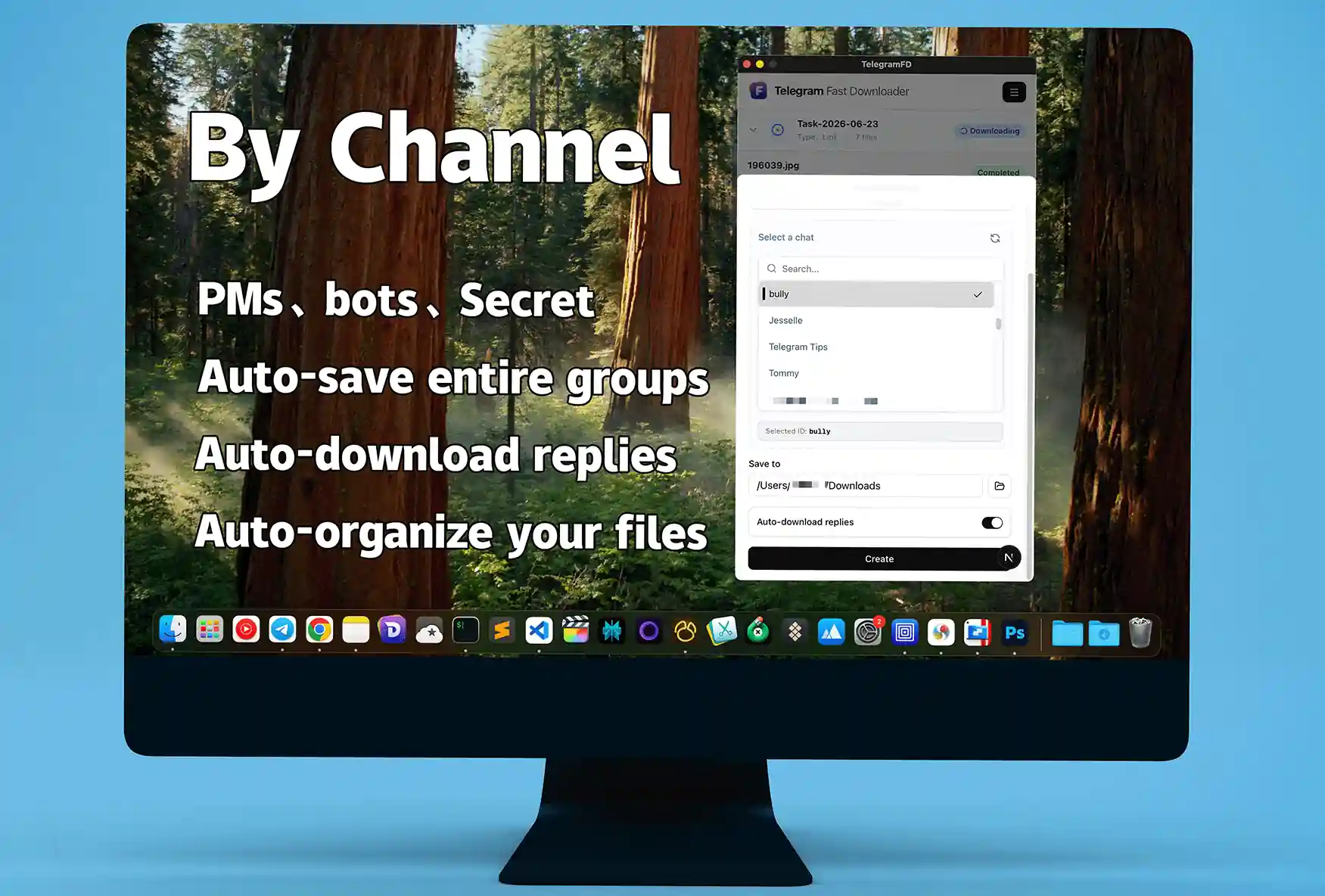
Download Channels or Groups
03Click [Download Specific Channel or Group] in the top-right menu.
Comprehensive support for downloading everything from Groups, Channels, Bots, Private Chats, and Secret Chats.
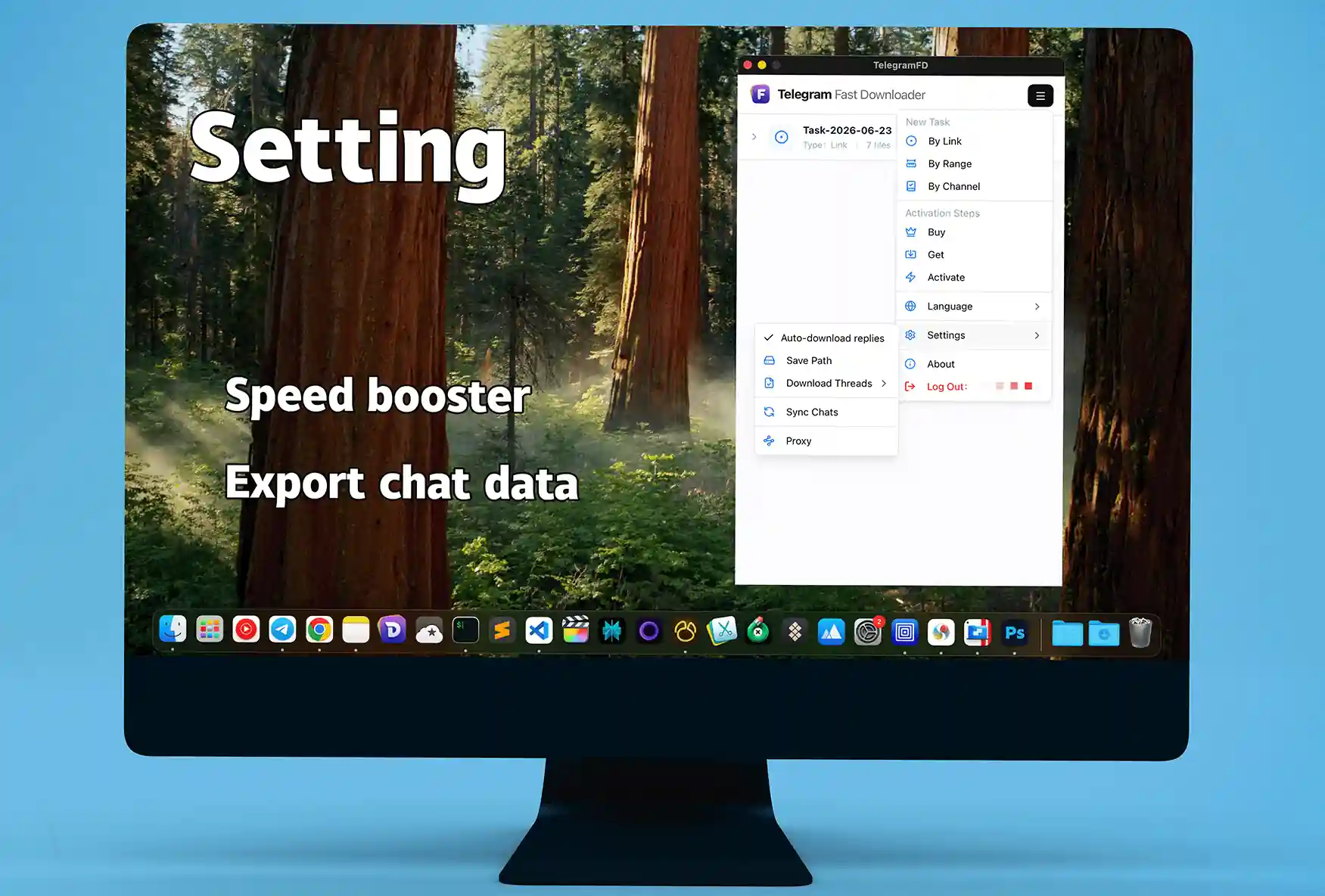
Settings
04Full control over your download experience.
Want more speed? Simply increase the [Download Threads]. Need to handle multiple files at once? Just adjust the [Concurrent File Threads].

Choose Your Plan
Upgrade to TelegramFD Premium for the price of a single dinner. Get all the files you need, archived locally and instantly.
-
Monthly
$9 / mo
- Duration: 1 Month
- Download Speed × 2
- By Links (Media links are required)
- By Range (Media links are required)
- By Channel (All available)
- Export Local Database
- Devices: 1 Units
- Customer Support
-
Quarterly
$18 / quarter
- Duration: 3 Months
- Download Speed × 3
- By Links (Media links are required)
- By Range (Media links are required)
- By Channel (All available)
- Export Local Database
- Devices: 2 Units
- Customer Support
-
Annual
$54 / yr
- Duration: 1 Year
- Download Speed × 5
- By Links (Media links are required)
- By Range (Media links are required)
- By Channel (All available)
- Export Local Database
- Devices: 3 Units
- Customer Support
FAQ
Minimum System Requirements?
Minimum MacOS version: [15.3]. Minimum Windows version: [Windows 11].
Cannot run TelegramFD on MacOS?
After dragging TelegramFD into the Applications folder, execute the following commands in the terminal:
/usr/bin/xattr -cr '/Applications/TelegramFD.app'
/usr/bin/codesign -fs - '/Applications/TelegramFD.app'
Installation failed on Windows?
If there is no interface or an error message appears after running the installer:
1. Right-click the file -> [Properties].
2. At the bottom of the 'General' tab, look for: 'This file came from another computer and might be blocked.'
3. Check the [Unblock] box and click [OK].
How to get an activation code?
Where can I find my code after purchasing? Apply for an [Activation Code] here.
Didn't receive the verification code during login?
The [Verification Code] is sent to your Telegram client, not via SMS.
Note: Users in Mainland China may experience issues receiving codes due to carrier restrictions.
Which operating systems are supported?
Currently, we support Windows, MacOS, and Linux. Android and iOS versions are under active development.
How to configure a proxy?
Only the SOCKS protocol is supported at this time.
Server: Usually refers to your local machine (127.0.0.1).
Port: Check the port exposed by your VPN software. If you still encounter issues, please contact customer support.