1. System Requirements
-
MacOS 15.3 and above
After dragging TelegramFD into the Applications folder: Since the software is not signed with an Apple Developer certificate, to avoid the "app is damaged" system prompt, please open Terminal and execute the following two commands:
/usr/bin/xattr -cr '/Applications/TelegramFD.app'/usr/bin/codesign -fs - '/Applications/TelegramFD.app' -
Windows 11 and above
Run directly after downloading. If intercepted by Windows Defender, click "More Info" -> "Run anyway". This prompt appears not because of viruses, but because TelegramFD lacks expensive digital signature certification, which is a burden for small independent teams.
2. Quick Login
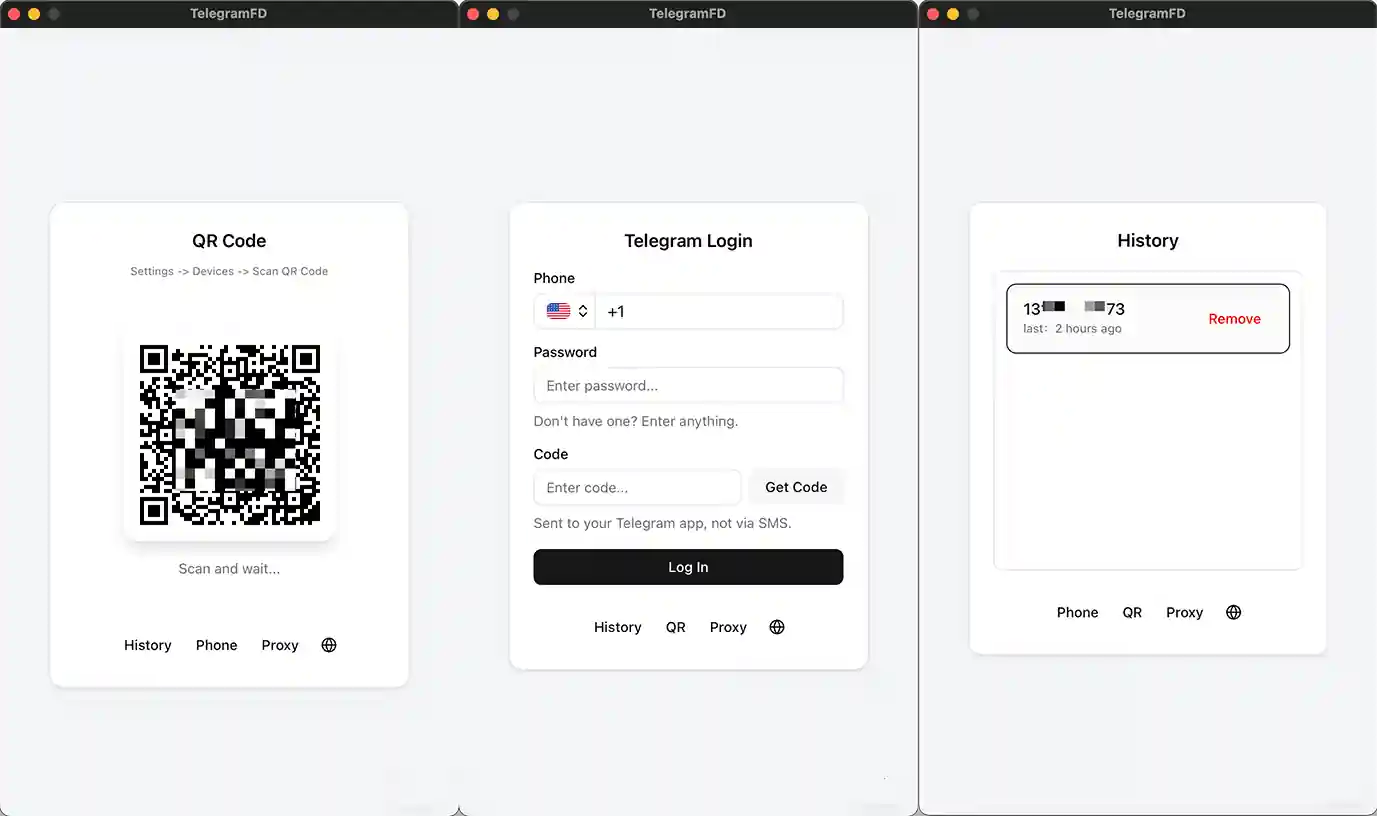
To suit different user habits, TelegramFD provides three seamless login methods. You can choose the most convenient one based on your environment:
- Recommended QR Code Login: Use the mobile Telegram app to scan the QR code on the screen. Secure and fast, no password required.
- Standard Phone Number Login: Enter your registered phone number and receive the official Telegram verification code to log in.
- Instant Local Account Auth: If the official Telegram Desktop client is already running on your computer, the software can detect it and authorize login with one click.
3. New Download Task (Core Engine)
TelegramFD features a powerful task parsing engine that supports three dimensions of precise downloading, from single extraction to full backup.
🎯 Specific Links
Precision Extraction
Paste one or more message links. Supports multi-line batch parsing. The system not only downloads the file in the link but also automatically penetrates and downloads all hidden attachments in the comments (replies).
📏 Specific Range
Interval Coverage
Download all content from a channel within a specific timeframe. Just enter the "Start Link" and "End Link", and the software will capture all media files in that interval.
📦 Channel or Group
Full Backup
No need to copy links—simply select a session from the list. Supports Bots, Private Chats, and Public/Private Channels. Transfer entire historical resources to your local drive with one click.
4. Ultimate Download Experience
Say goodbye to the sluggish speeds of the official client. TelegramFD performs deep magic optimization on API calls.
🚀 5x Speed Boost
Break conventional speed limits—up to 5x faster than the official original download speed. Significantly reduces waiting time for large files (dozens of GBs).
5. Data Export & Management
Beyond media files, TelegramFD provides convenient text extraction for data analysts and digital archivists.
- ✅ Export Message Data: Export message text, timestamps, and sender info to
CSVspreadsheets with one click. - ✅ Export Session Data: Package your session list and basic info into a
CSVfile. - 💡 Handle thousands of chat records and generate a perfectly formatted Excel directory instantly.
6. Advanced Settings
Click the "Settings" icon (⚙️) to deeply customize the software and take full control.
| Setting Item | Description |
|---|---|
| Default Save Path | Customize the local folder for downloads. Move from the default C drive to your 10TB external drive. |
| Auto-download Replies | Toggle option. When enabled, it will automatically crawl attachments in the comment section of a parsed message link. |
| Speed Multiplier | Adjust download speed freely, up to 5x. |
| Proxy Server | Currently supports SOCKS protocol. Server: Usually localhost 127.0.0.1. Port: Check your VPN software port settings. Contact support if issues persist. |
7. Frequently Asked Questions (FAQ)
/usr/bin/xattr -cr '/Applications/TelegramFD.app'
/usr/bin/codesign -fs - '/Applications/TelegramFD.app'
1. Right-click the file -> [Properties].
2. At the bottom of the 'General' tab, look for: 'This file came from another computer and might be blocked.'
3. Check the [Unblock] box and click [OK].
Note: Users in Mainland China may experience issues receiving codes due to carrier restrictions.
Server: Usually refers to your local machine (127.0.0.1).
Port: Check the port exposed by your VPN software. If you still encounter issues, please contact customer support.